Introduction
Organizations today exchange enormous volumes of sensitive digital information every day. Banks transfer ACH and treasury files, healthcare organizations share protected patient information, enterprises exchange vendor and payroll data, and government agencies transmit confidential records across multiple systems and partners.
Unfortunately, cyber threats targeting file transfers continue to increase. Ransomware attacks, credential theft, insider threats, insecure FTP servers, and vendor-related breaches are now common business risks. Many organizations still rely on outdated or poorly secured file transfer methods that expose sensitive data to interception, unauthorized access, and compliance violations.
As cybersecurity regulations tighten and businesses become more interconnected, protecting data during transmission has become a critical operational requirement.
This is where PGP encryption plays a major role.
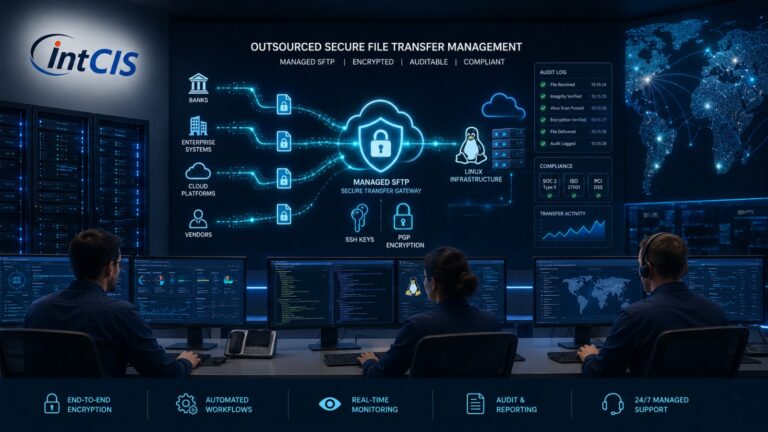
Combined with Secure SFTP and managed file transfer (MFT) solutions, PGP encryption helps organizations securely exchange sensitive files while maintaining compliance, confidentiality, integrity, and operational reliability.
What Is PGP Encryption?
PGP (Pretty Good Privacy) encryption is a widely used cryptographic technology designed to protect sensitive files, emails, and digital communications from unauthorized access.
In simple business terms:
PGP encryption converts readable data into encrypted data that can only be decrypted by authorized recipients using a secure private key.
Even if attackers intercept the file during transfer, the encrypted content remains unreadable without the correct decryption key.
Technical Overview
PGP uses:
- Public key cryptography
- Private/public key pairs
- Strong encryption algorithms
- Digital signatures
- Data integrity validation
The sender encrypts files using the recipient’s public key, and only the recipient’s private key can decrypt the content.
This creates:
- Confidentiality
- Authentication
- Non-repudiation
- File integrity protection
PGP encryption is commonly integrated with:
- Secure SFTP
- SSH-based file transfers
- Automated Linux workflows
- Banking integrations
- Vendor exchange systems
- Enterprise automation platforms
Why Businesses Need PGP Encryption
Security Benefits
Sensitive business files often contain:
- Banking information
- Payroll data
- Customer records
- Healthcare information
- Financial transactions
- Vendor data
- Treasury reports
PGP encryption protects these files even if:
- The network is compromised
- Credentials are stolen
- Files are intercepted
- Storage systems are breached
This layered security model significantly reduces organizational risk.
Compliance Benefits
Many regulatory frameworks require strong encryption for sensitive data transfers.
PGP encryption supports compliance initiatives related to:
- HIPAA
- PCI-DSS
- SOC 2
- GDPR
- NACHA
- FFIEC
Organizations that fail to protect sensitive data may face:
- Financial penalties
- Regulatory investigations
- Operational disruption
- Reputational damage
Operational Benefits
PGP encryption integrates well with enterprise automation.
Organizations can automate:
- ACH processing
- Payroll transfers
- Vendor onboarding
- Secure reporting
- Batch file exchange
- Banking workflows
This improves:
- Operational consistency
- Transfer reliability
- Audit readiness
- Automation efficiency
Scalability Advantages
Modern businesses exchange files with:
- Banks
- Vendors
- Healthcare partners
- Cloud providers
- Government agencies
PGP encryption scales effectively across:
- Hybrid cloud environments
- Linux servers
- Containerized applications
- Enterprise automation platforms
Common Risks Without Secure SFTP and PGP Encryption
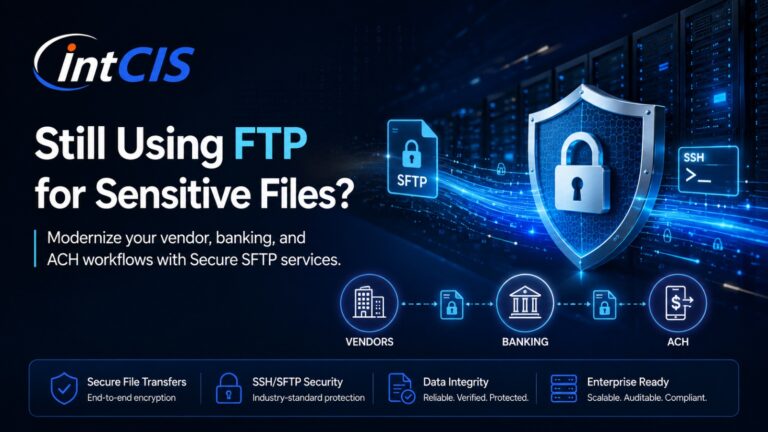
FTP Vulnerabilities
Traditional FTP transmits:
- Usernames
- Passwords
- Files
in plain text.
Attackers can intercept this traffic using:
- Packet sniffing
- Man-in-the-middle attacks
- Credential harvesting
FTP is no longer suitable for sensitive business operations.
Data Breaches
Unencrypted files may expose:
- Customer records
- ACH transactions
- Healthcare data
- Payroll information
A single file transfer breach can create major legal and financial consequences.
Ransomware Risks
Cybercriminals frequently target:
- Unsecured file servers
- Shared folders
- Legacy FTP environments
Without proper encryption and secure transfer controls, attackers may:
- Encrypt business data
- Exfiltrate files
- Compromise vendor exchanges
Vendor and Third-Party Risks
Modern businesses depend heavily on third-party integrations.
Weak vendor file exchange practices can expose organizations to:
- Supply chain attacks
- Unauthorized access
- Compliance violations
Secure SFTP and PGP encryption help reduce these risks.
Insider Threats
Not all threats originate externally.
Employees or contractors with excessive access may:
- Copy sensitive files
- Share data improperly
- Misuse credentials
Encryption and audit logging improve accountability and reduce insider risk.
Key Features and Technologies
Secure SFTP
SFTP (SSH File Transfer Protocol) provides:
- Encrypted file transfer
- Secure authentication
- Integrity validation
- Protected communication channels
Unlike FTP, SFTP uses SSH encryption to secure all sessions.
SSH Encryption
SSH creates secure encrypted tunnels between systems.
Benefits include:
- Encrypted communication
- Secure remote access
- Strong authentication
- Session protection
PGP Encryption
PGP adds file-level encryption protection.
Even if files are copied or intercepted, the data remains unreadable without proper keys.
SSH Keys
SSH key authentication is more secure than passwords.
Benefits:
- Reduced brute-force risk
- Stronger authentication
- Automation support
- Secure non-interactive transfers
Multi-Factor Authentication (MFA)
MFA strengthens access security by requiring:
- Passwords
- Tokens
- Mobile verification
- Biometric validation
Audit Logging
Enterprise file transfer platforms should log:
- File uploads
- Downloads
- Login activity
- Transfer status
- Authentication events
Audit logs support:
- Compliance
- Forensic investigations
- Operational visibility
Automation
Automation improves:
- Consistency
- Reliability
- Operational efficiency
Linux automation tools commonly include:
- Shell scripting
- Cron jobs
- Enterprise schedulers
- Ansible automation
- API integrations
Secure APIs
Modern file transfer solutions increasingly support secure API integrations for:
- Cloud platforms
- ERP systems
- Banking applications
- Vendor systems
High Availability
Business-critical file transfers require:
- Redundant infrastructure
- Failover systems
- Clustered environments
- Monitoring
Downtime can directly impact financial operations.
Disaster Recovery
Organizations should maintain:
- Encrypted backups
- Replication strategies
- Secure recovery procedures
- Tested failover plans
Industry Use Cases
Banking and ACH Processing
Banks and treasury departments exchange:
- ACH files
- Positive Pay files
- Wire reports
- Treasury transactions
PGP encryption protects sensitive financial information during automated transfers between enterprise systems and banking partners.
Healthcare and HIPAA
Healthcare organizations transmit:
- Patient records
- Billing information
- Insurance data
HIPAA requires strong safeguards for protected health information (PHI).
Secure SFTP combined with PGP encryption helps healthcare providers maintain compliance.
Government Agencies
Government organizations often exchange:
- Confidential reports
- Tax records
- Vendor data
- Legal documents
Encryption reduces exposure risks and supports audit requirements.
Enterprise Vendor Exchange
Large enterprises exchange files with:
- Suppliers
- Logistics providers
- Payroll vendors
- Cloud platforms
Secure automated transfers improve operational security and reliability.
Payroll Processing
Payroll files contain:
- Salaries
- Tax information
- Employee records
- Bank details
Encryption helps protect highly sensitive employee information.
Treasury Operations
Treasury departments rely heavily on:
- Secure bank integrations
- Automated transfers
- Encrypted financial workflows
Secure file transfer automation reduces operational risk.
Compliance and Security
HIPAA
Healthcare organizations must protect patient data during storage and transmission.
PCI-DSS
Organizations handling payment data must implement strong encryption controls.
SOC 2
SOC 2 requires organizations to maintain:
- Confidentiality
- Integrity
- Security controls
GDPR
Organizations handling EU personal data must protect information against unauthorized access.
NACHA
ACH processing environments require secure file transfer practices and strong operational controls.
FFIEC
Financial institutions must implement layered cybersecurity protections for electronic banking systems.
Audit Readiness
Managed Secure SFTP platforms support:
- Centralized logging
- Compliance reporting
- Operational transparency
- Incident investigation
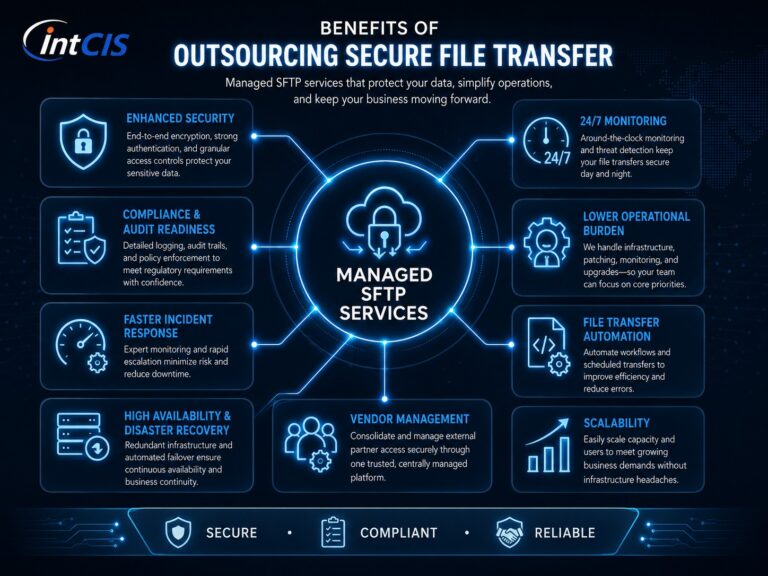
Benefits of Managed SFTP Services
Reduced Operational Burden
Managed providers handle:
- Server maintenance
- Monitoring
- Patching
- Backups
- Incident response
This reduces internal workload.
24×7 Monitoring
Continuous monitoring helps identify:
- Failed transfers
- Unauthorized access
- Suspicious activity
- Operational disruptions
Linux Expertise
Experienced Linux administrators help:
- Secure servers
- Optimize automation
- Harden infrastructure
- Troubleshoot issues
Automation Support
Managed providers assist with:
- Scripting
- Workflow automation
- Scheduling
- Integration support
Faster Incident Response
Rapid response helps minimize:
- Downtime
- Failed transfers
- Operational delays
- Security exposure
Better Security Posture
Managed environments often include:
- Hardened Linux systems
- MFA
- Secure key management
- Encryption standards
- Centralized monitoring
Best Practices for Secure File Transfer
Recommended Best Practices
- Replace FTP with Secure SFTP
- Use PGP encryption for sensitive files
- Implement SSH key authentication
- Enable MFA
- Harden Linux servers
- Maintain audit logs
- Rotate encryption keys regularly
- Monitor transfer activity continuously
- Validate backup and DR procedures
- Restrict user permissions using least privilege
Why Choose a Managed Secure SFTP Provider
A trusted managed provider delivers:
- Enterprise Linux expertise
- Secure infrastructure management
- Compliance-focused operations
- Proactive monitoring
- Secure automation
- Operational reliability
Businesses benefit from:
- Reduced cybersecurity risk
- Stronger compliance posture
- Improved operational efficiency
- Reliable file transfer infrastructure
A specialized provider can help organizations modernize outdated FTP systems while improving security and scalability.
Conclusion
As cyber threats continue to evolve, businesses can no longer rely on outdated or unsecured file transfer methods.
PGP encryption plays a critical role in protecting sensitive business data by ensuring files remain encrypted and unreadable to unauthorized users. When combined with Secure SFTP, SSH encryption, automation, and managed infrastructure services, organizations gain a strong foundation for secure and compliant file exchange.
Banks, healthcare providers, government agencies, and enterprises all depend on secure file transfer systems to support daily operations, protect sensitive information, and maintain regulatory compliance.
Organizations that invest in secure managed SFTP solutions improve:
- Cybersecurity resilience
- Operational reliability
- Compliance readiness
- Business continuity
Modern secure file transfer is no longer optional — it is a business necessity.