Introduction
Small and medium-sized businesses (SMBs) are increasingly becoming targets for cyberattacks, ransomware, and data breaches. At the same time, businesses are exchanging more sensitive data than ever before, including customer information, financial records, vendor documents, payroll files, and healthcare data.
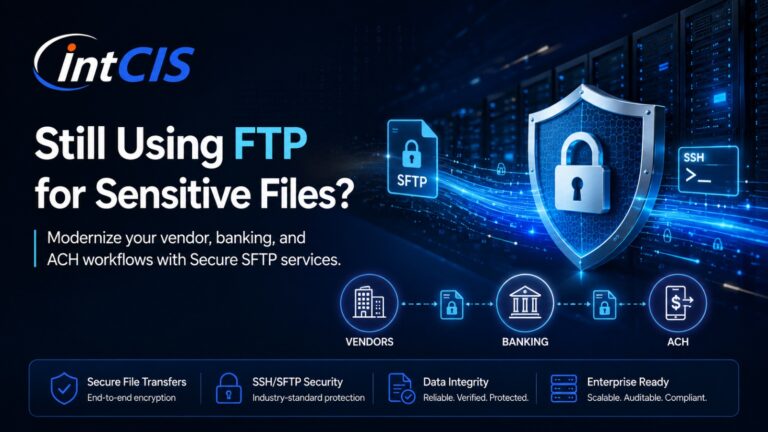
Despite these growing risks, many SMBs still rely on outdated FTP (File Transfer Protocol) servers for transferring files between systems, vendors, customers, and remote employees.
Traditional FTP was designed decades ago and lacks the security features required in today’s cybersecurity landscape. Using unsecured FTP can expose businesses to data theft, compliance violations, and operational disruptions.
This is why many SMBs are moving to Managed SFTP solutions.
Managed SFTP (Secure File Transfer Protocol) provides encrypted, monitored, and professionally managed file transfer services that help businesses improve security, reduce operational complexity, and support compliance requirements.
In this article, we explain why SMBs should move from FTP to Managed SFTP and how it can improve business security and reliability.
What Is FTP?
FTP, or File Transfer Protocol, is a standard method used to transfer files between computers over a network.
Traditional FTP allows users to:
- Upload files
- Download files
- Share documents
- Exchange business data
However, FTP has one major problem:
It does not encrypt data.
Usernames, passwords, and transferred files are often transmitted in plain text, making them vulnerable to interception by attackers.
This creates serious security risks for businesses handling sensitive information.
What Is Managed SFTP?
SFTP stands for Secure File Transfer Protocol.
Unlike traditional FTP, SFTP uses SSH (Secure Shell) encryption to protect data during transmission.
Managed SFTP takes this further by outsourcing the secure file transfer environment to a specialized provider that handles:
- Server management
- Security monitoring
- Backup management
- Automation
- User access controls
- Compliance logging
- File transfer monitoring
- Technical support
Instead of managing insecure or outdated FTP servers internally, SMBs can rely on secure and professionally managed infrastructure.
Why FTP Is No Longer Safe for SMBs
Cybersecurity threats have changed dramatically over the past decade.
Hackers actively scan the internet for vulnerable FTP servers because they are often easy targets.
Common FTP security risks include:
- Plain-text passwords
- Unencrypted file transfers
- Weak authentication
- Lack of audit logging
- Limited access controls
- Poor compliance support
If attackers gain access to an FTP server, they may steal:
- Customer data
- Banking files
- Vendor information
- Payroll records
- Healthcare documents
- Confidential business files
For SMBs, even a single data breach can result in:
- Financial loss
- Legal liability
- Reputation damage
- Compliance penalties
- Customer trust issues
Modern businesses can no longer afford to rely on outdated FTP systems.
Benefits of Moving to Managed SFTP
1. Stronger Security
The biggest advantage of Managed SFTP is improved security.
Managed SFTP uses encrypted communication channels that protect:
- User credentials
- Sensitive files
- Business communications
Most managed providers also include:
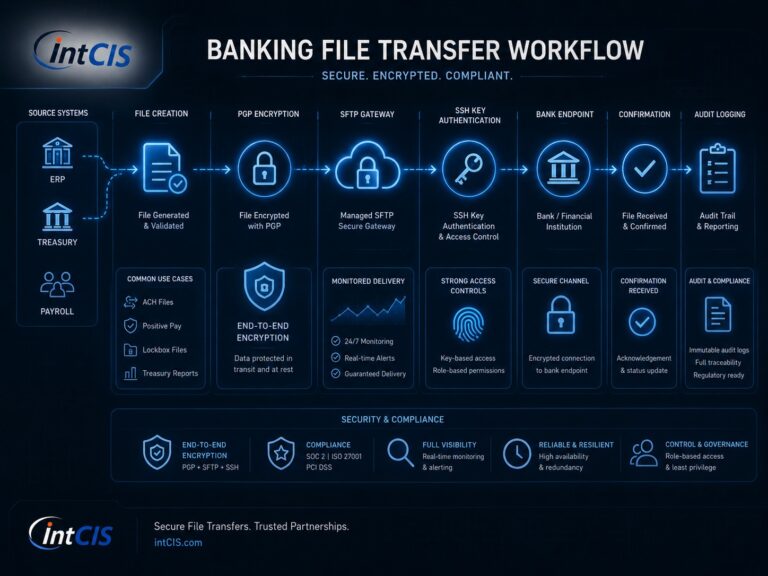
- SSH key authentication
- Multi-factor authentication
- IP restrictions
- PGP encryption
- Firewall protection
- Security monitoring
This dramatically reduces the risk of unauthorized access and cyberattacks.
For SMBs without dedicated cybersecurity teams, managed security services provide critical protection.
2. Reduced IT Management Burden
Many SMBs operate with limited IT staff.
Managing secure file transfer infrastructure internally requires:
- Linux administration
- Security patching
- Backup management
- Monitoring
- User provisioning
- Troubleshooting
- Compliance management
These responsibilities can overwhelm small IT teams.
Managed SFTP providers handle the infrastructure and operational management, allowing businesses to focus on growth instead of maintaining servers.
This reduces operational stress and improves efficiency.
3. Improved Compliance Support
Many SMBs must comply with industry regulations and customer security requirements.
Examples include:
- HIPAA
- PCI-DSS
- SOC 2
- GDPR
- NACHA
Traditional FTP systems lack the security controls and logging capabilities required for modern compliance standards.
Managed SFTP providers often include:
- Audit logging
- Access tracking
- File activity monitoring
- Secure authentication
- Retention policies
These features help SMBs demonstrate secure handling of sensitive information during audits and customer reviews.
4. Reliable File Transfer Automation
Many SMBs rely on regular file exchanges for daily operations.
Examples include:
- Vendor file sharing
- Payroll processing
- ACH payments
- Inventory updates
- Customer data transfers
- Accounting integrations
Managed SFTP solutions support automation features such as:
- Scheduled file transfers
- Automated uploads and downloads
- Secure workflows
- File encryption
- Transfer notifications
Automation reduces manual work and minimizes human error.
Businesses can improve operational reliability while saving time.
5. Better Business Continuity
File transfer systems are often mission-critical.
If a file transfer server fails, businesses may experience:
- Delayed payments
- Vendor disruptions
- Missed deadlines
- Customer service problems
- Operational downtime
Managed SFTP providers typically offer:
- Backup systems
- High availability infrastructure
- Disaster recovery planning
- Redundant environments
This improves uptime and ensures critical file transfers continue during outages or infrastructure failures.